The client wallet
Money a client paid ahead, or credit you returned to them. It pays their next invoices. Top-ups can expire; refunds are recorded.
Top up
- Open the client and choose the Billing tab.
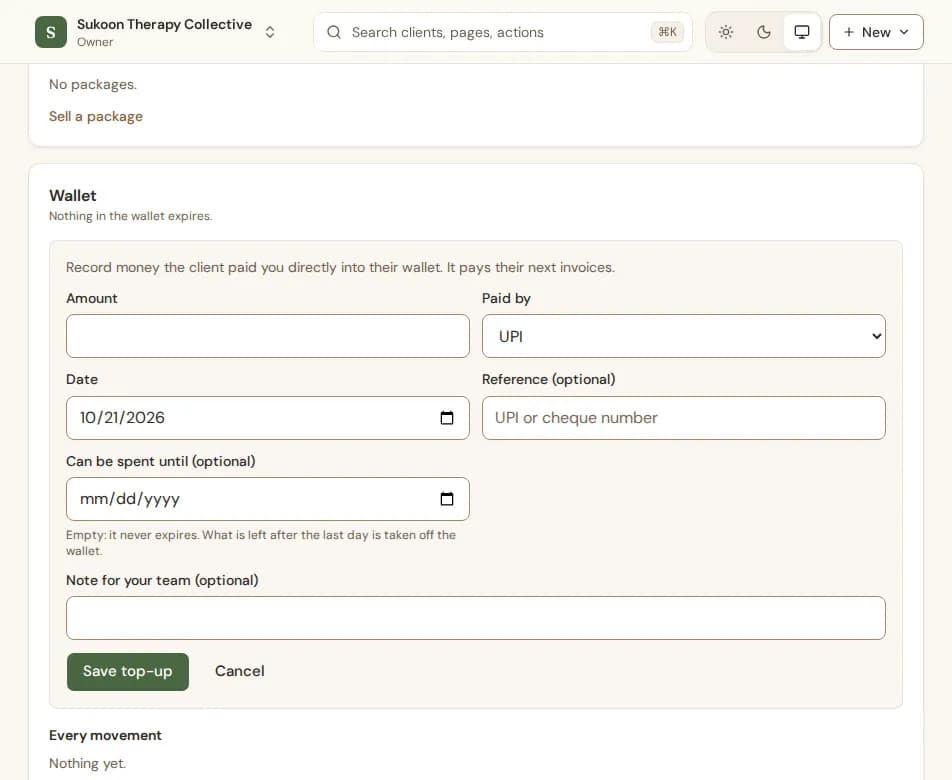
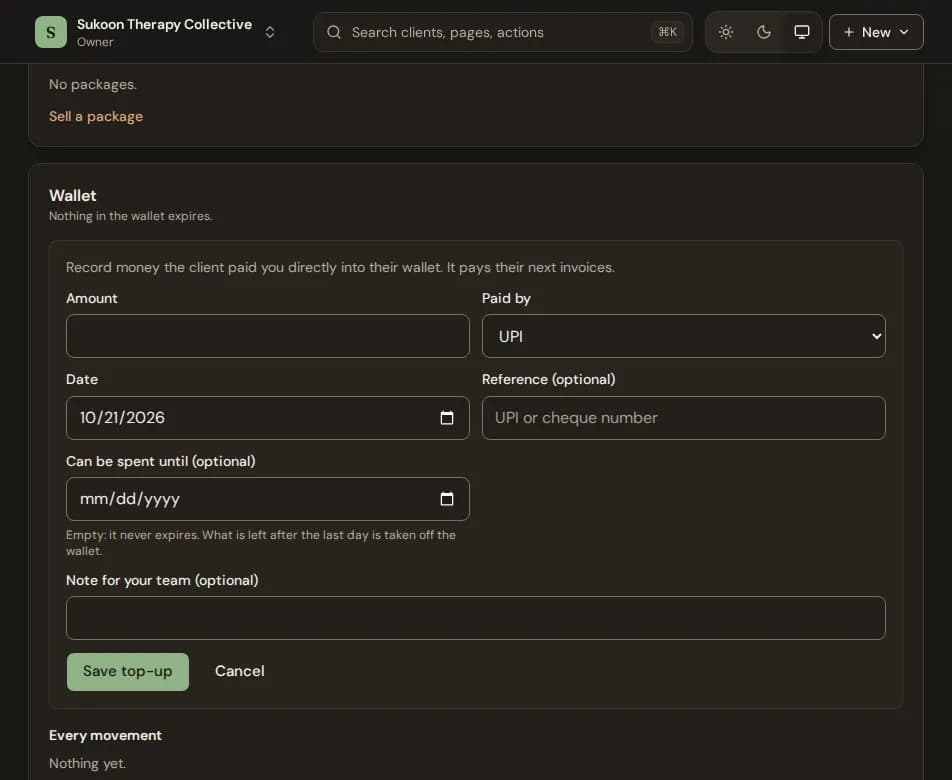
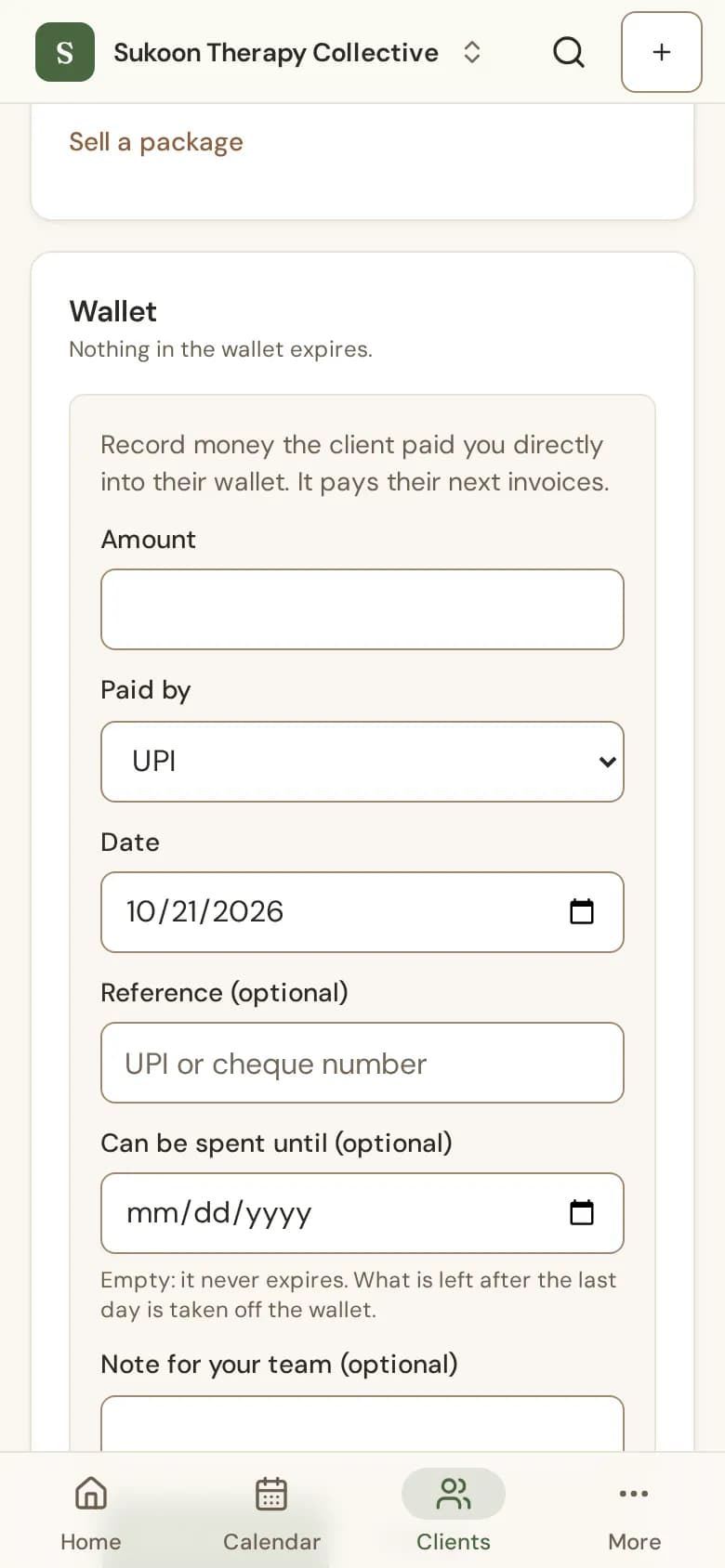
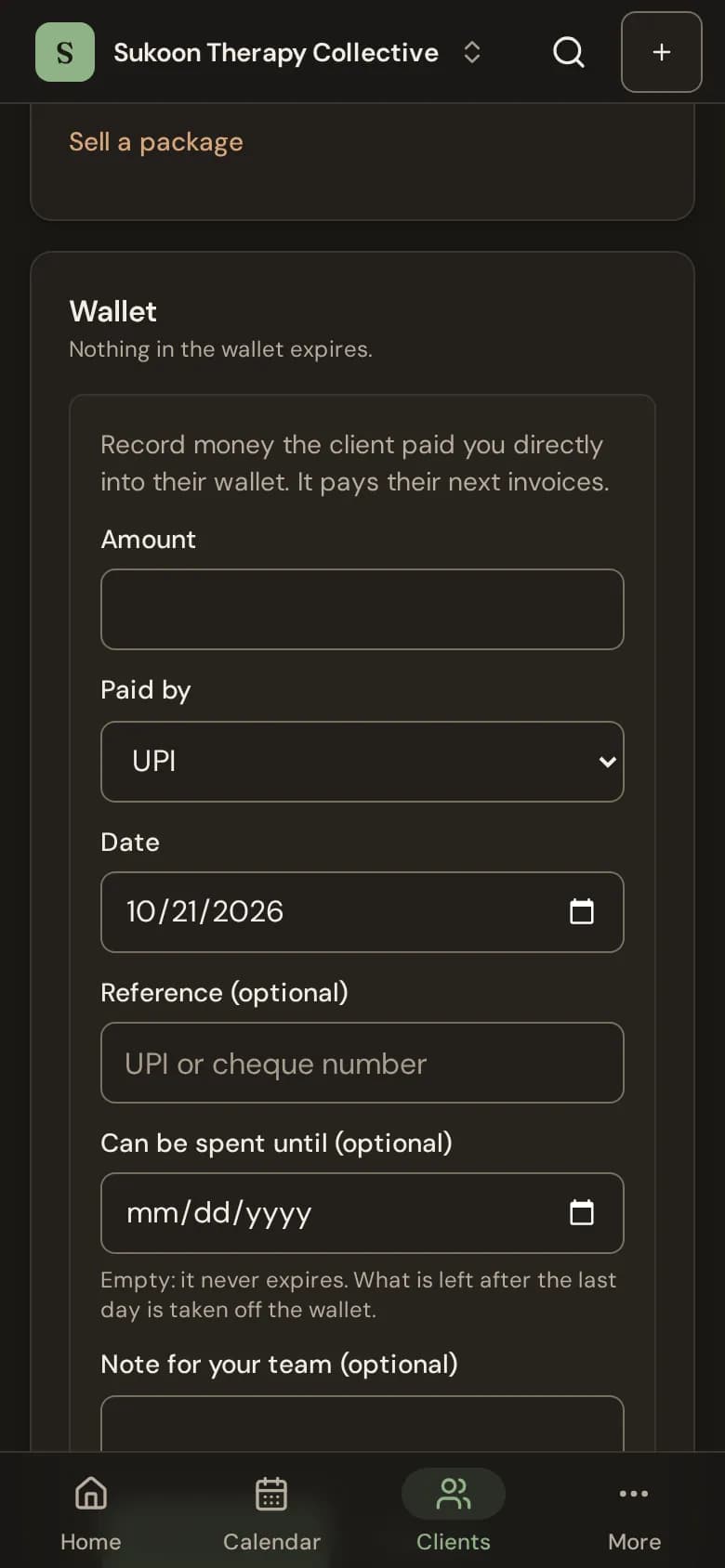
- Under Wallet, choose Top up.
- Type the Amount, how it was Paid by and the Date.
- Set Can be spent until if it should expire, then choose Save top-up.
Using it
On an invoice, choose Record payment, then Use wallet credit. Money from a credit note also goes into the wallet when you choose so.
Expiry
- Only top-ups expire. Credit returned to a client and overpayments never do.
- Set a default for new top-ups with Wallet top-ups last (days), under Billing and GST in your settings. Leave it empty and top-ups never expire.
- What is left after the last day is taken off the wallet. Expired money cannot be spent or refunded.
- The card shows what expires next.
Refund the balance
Choose Refund balance, type the amount you paid back and how, then choose Save refund. You pay the client yourself; Bliss records it. Every movement lists everything that went in and out.
Still stuck? Contact us and tell us what you were trying to do.