What happens to invoices
How Bliss picks the amount for each session, and what to do when an invoice "needs an amount".
Which fee is billed
For each client in each session, Bliss uses the first of these that is set:
- the fee set for that session,
- the client's own fee for the service,
- the service's standard price (none, if the service says Price varies).
Automatic invoices, the sessions offered on a new invoice, recurring invoice lines and package prices all start from this amount.
Automatic invoices
When you mark a session Complete, Bliss makes its invoice. This is on unless you turned off Make an invoice when a session is completed under Billing and GST in your clinic or practice settings.
When a session needs an amount
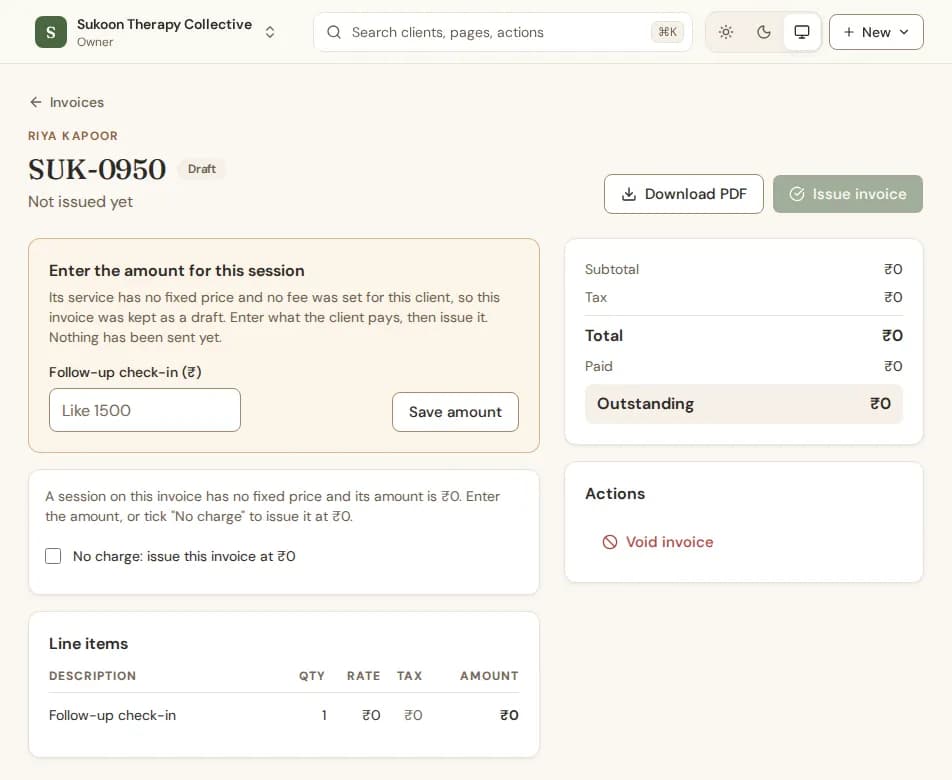
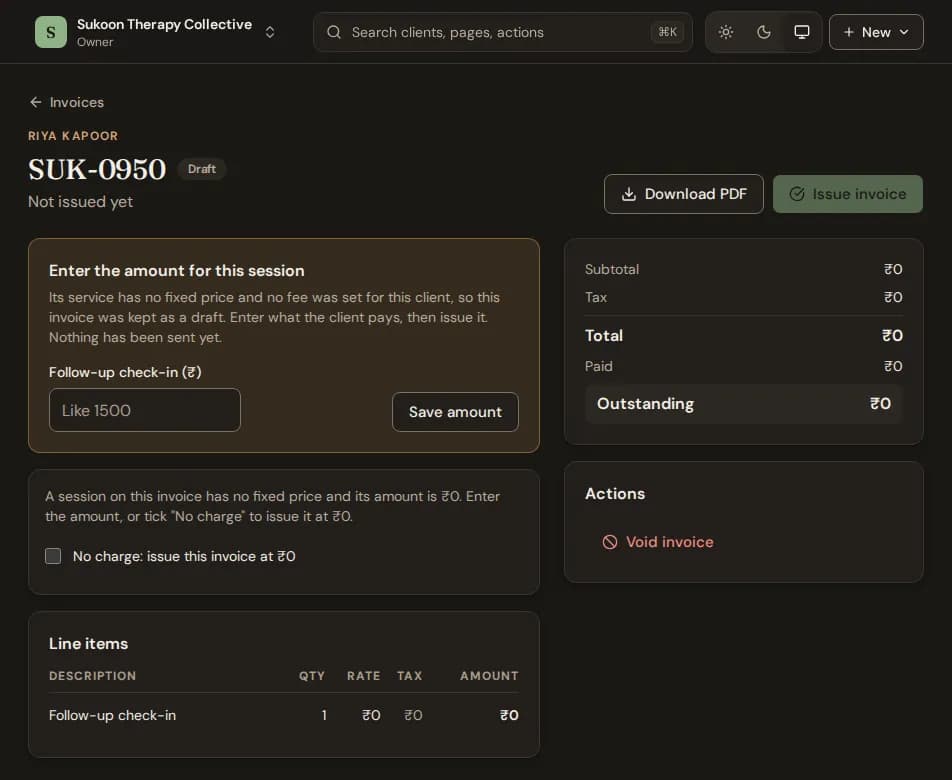
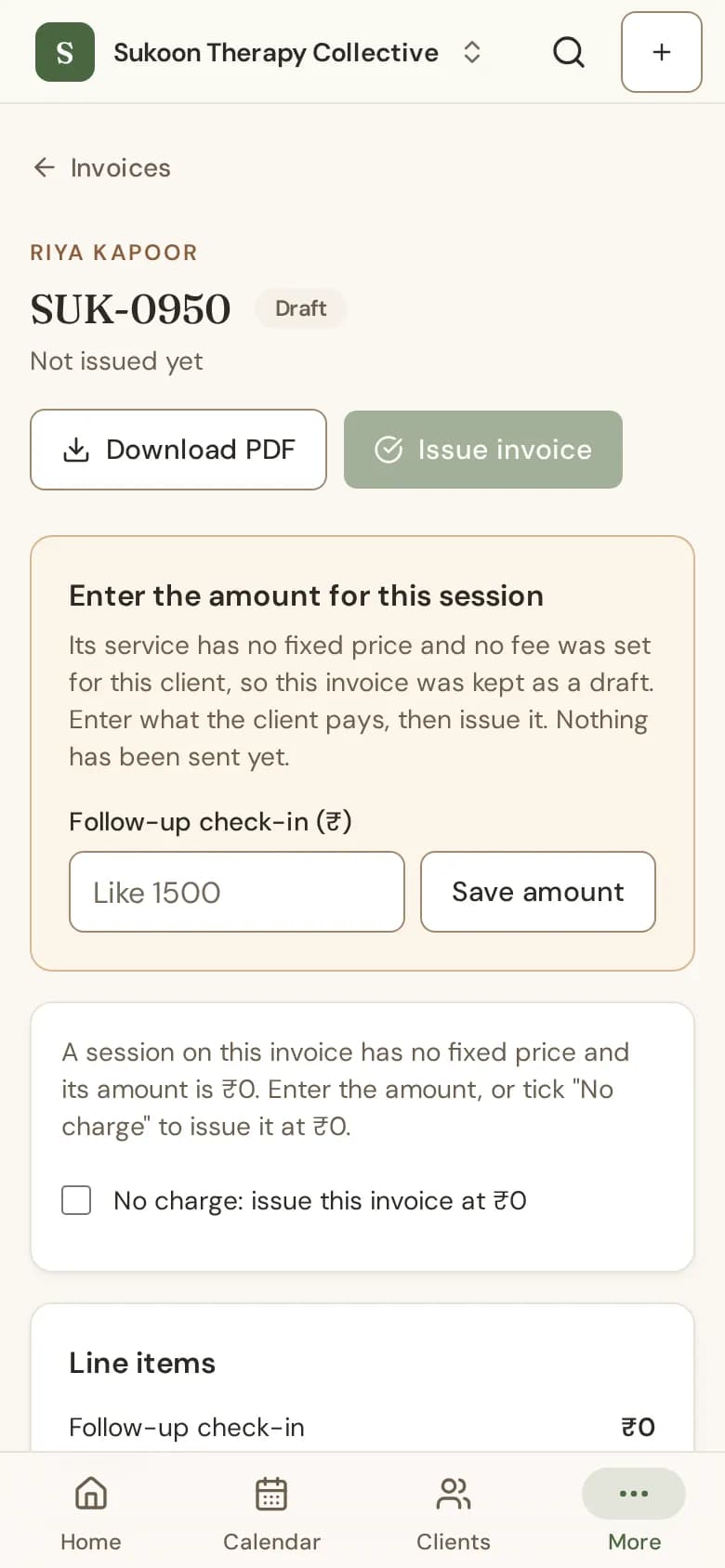
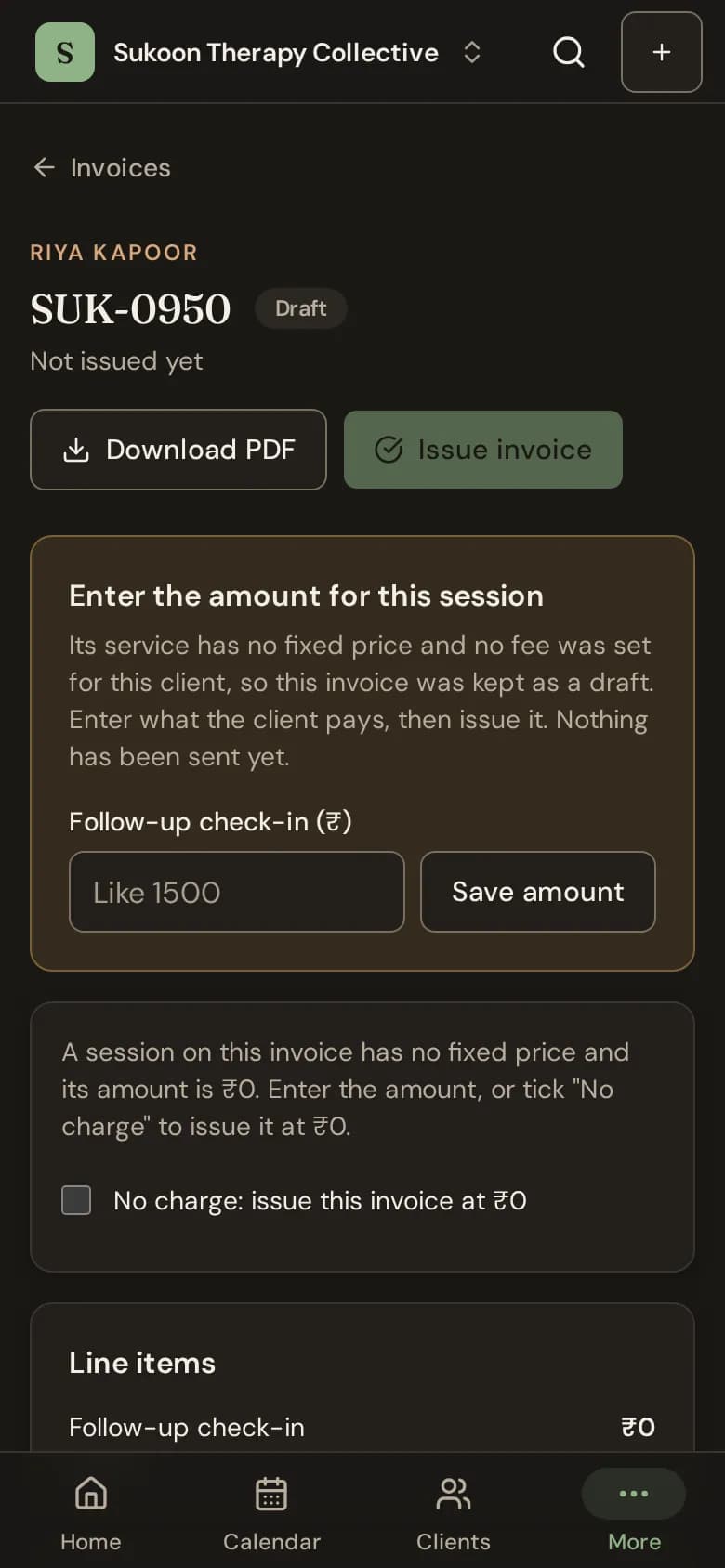
If the service says Price varies and the client has no fee, Bliss cannot know the amount. It keeps that invoice as a draft and sends nothing. Your home page then shows that sessions need an amount.
- On your home page, under Needs your attention, choose Enter amounts. Or, on Invoices, choose the button that counts them, such as 2 need an amount.
- Open the draft. Under Enter the amount for this session, type what the client pays and choose Save amount.
- Choose Issue invoice. The client gets it as usual.
Free sessions
Bliss never issues a zero invoice by accident. To issue one on purpose, for a free session, tick No charge: issue this invoice at ₹0 before you choose Issue invoice.
Good to know
- A draft takes no payment. Issue it first.
- Issued invoices never change when fees change.
- Set the client's fee to stop drafts for that client: their next sessions are billed at it.